A detailed breakdown of the essential smartphone hardware specifications, accessibility tools, and NPU configurations required to effectively run and manage mobile AI agents.
Mobile AI agent workloads and hardware demands

Running mobile AI agents—such as DroidRun, Mobile-Agent, AutoDroid, and AppAgent—changes how smartphones must handle computational tasks. Unlike traditional apps that rely on standard CPU threads and basic graphic rendering, modern AI agents require continuous multi-step reasoning, active state tracking, and rapid data exchange. Frameworks like DroidRun achieve higher success rates according to tests across 65 real-world tasks because they use sophisticated reasoning architectures, which in turn require more resources for token processing and memory. Selecting a device for these agents means looking beyond consumer benchmarks and examining the actual hardware components.
The primary bottleneck for local inference and agent frameworks is the device's Neural Processing Unit (NPU) and available Random Access Memory (RAM). The future of next-gen AI smartphones requires an NPU capable of at least 30 Tera operations per second (TOPS) using the int-8 data type to process on-device large language models (LLMs) and generative tasks. Without dedicated NPU acceleration, the main application processor must shoulder the workload, which leads to fast battery drain and thermal throttling. Furthermore, because frameworks that process visual UI representations or maintain state histories use significant memory bandwidth, devices with lower RAM often hit operating system limits, causing background agents to reload and lose their place mid-execution.
Beyond raw power, thermal management is key to sustained performance. Running continuous agent loops or heavy local model inferences generates significant heat. Traditional graphite thermal spreaders saturate quickly, forcing devices to throttle NPU speeds and slow down processing within minutes. Modern flagships with advanced cooling, such as vapor chamber systems, move heat faster than older designs, allowing agents to run complex multi-step tasks without slowing down. When evaluating a smartphone for AI agents, the chassis's ability to sustain peak output over long periods is a critical factor.
Essential hardware specifications for local LLMs and agent execution
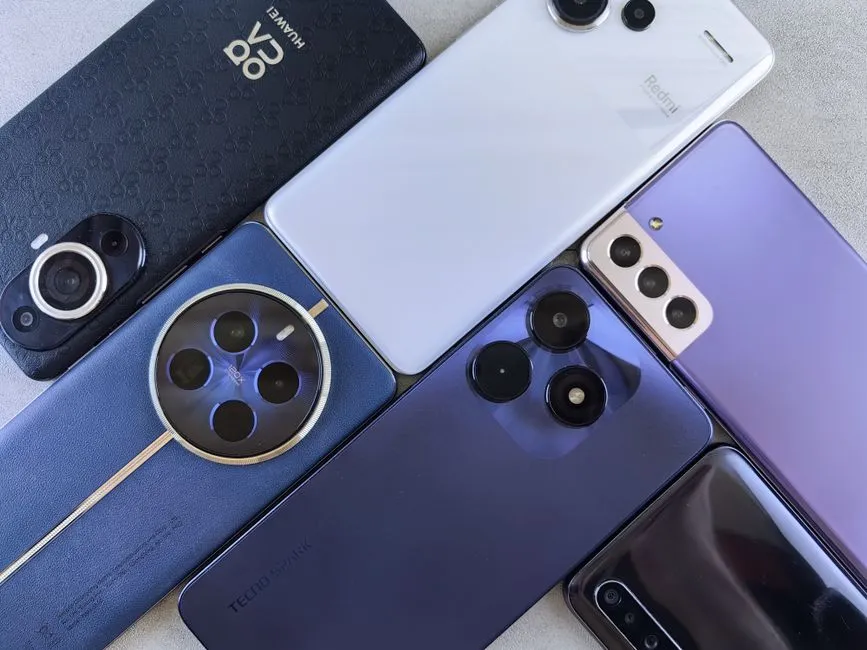
Deploying autonomous mobile agents locally requires a balance between model size, quantization levels, and device memory. A 7-billion parameter model quantized to 4-bit precision needs about 4 to 5 gigabytes of memory just to load. Devices with 8GB of RAM leave very little room for the operating system and background tasks, which often results in context crashes or forced reloads. Consequently, best phones for AI professionals often feature 12GB to 16GB of RAM to ensure stable, uninterrupted execution.
Silicon architecture across mobile platforms dictates how efficiently these models run. Apple's A-series Pro chips use integrated Neural Engine cores and unified memory, allowing on-device features to process quickly while maintaining privacy. Android flagships powered by Qualcomm Snapdragon Elite processors or Google's Tensor chips offer open API access, allowing third-party frameworks, terminal environments like Termux, and local runtime apps to use NPU acceleration directly. This gives developers and advanced users more freedom to experiment with model weights, local vector databases, and containerized agent workspaces on mobile hardware.
Storage speed and capacity are also important for mobile agent operators. Local model files, cached prompt responses, and multimodal visual inputs fill up storage quickly, making 256GB the practical minimum for professional use. Additionally, data transfer speeds matter when moving large model weights, logs, or high-resolution output files between a smartphone and a desktop. Devices supporting USB 3 speeds rather than legacy USB 2 rates reduce transfer times and minimize friction during development and testing.
Accessibility features and AI integration
Key AI Accessibility Capabilities to Look For
- Multimodal screen interpretation — Uses vision models to describe images and explain unlabelled buttons
- Conversational UI navigation — Allows natural language queries and actions across complex app layouts
- Notification and content summarization — Condenses lengthy text and screen updates into actionable overviews
- Ecosystem-wide assistive integration — Ensures consistent screen-reader behavior across third-party applications
Accessibility features on modern smartphones have moved beyond basic display scaling to become assistive ecosystems augmented by AI. For users relying on screen readers like Apple's VoiceOver or Android's TalkBack, AI integrations provide more contextual awareness. On supported Android flagships, TalkBack uses multimodal models like Gemini to interpret unlabelled user interfaces, describe images, and explain the functions of ambiguous buttons. This pairing allows users to choose the best smartphones for visually impaired users to navigate poorly optimized apps with more independence.
Screen-reading agents and AI tools also simplify how users interact with complex application layouts. When a mobile agent or screen reader encounters unlabelled elements or confusing workflows, on-device AI can generate structural descriptions and answer questions about navigation options. This functions as a translation layer between human commands and graphical interfaces. Users can ask their device what is currently on screen, get summaries of notifications, and execute navigational actions using natural language.
Choosing the right ecosystem for accessibility and AI support depends on individual preferences and technical needs. Apple's iOS offers a stable, integrated framework where assistive features work consistently across the app marketplace. Google's Android ecosystem often deploys AI accessibility updates more quickly, allowing users to use proactive assistance and conversational tools earlier. Evaluating these options ensures that users requiring accessibility support can use mobile AI without sacrificing reliability.
References
Practical coding examples for integrating autonomous AI into web applications
How to implement Muse Wonder Full for high-context agent workflows

Related Posts
TECHPractical coding examples for integrating autonomous AI into web applications
A comprehensive guide on integrating autonomous AI agents and dynamic code execution into modern web applications using JavaScript, LangGraph, and secure cloud environments.
TECHHow to implement Muse Wonder Full for high-context agent workflows
A comprehensive guide on leveraging Meta's Muse Wonder Full model, its architecture, and strategies for orchestrating high-context agent workflows.

Popular Posts
Practical coding examples for integrating autonomous AI into web applications
How to implement Muse Wonder Full for high-context agent workflows
Alternatives to paid Meta AI models for budget-conscious developers