Diving into the world of 3D modeling can feel overwhelming. Let's cut through the noise and find the best software to bring your first characters to life.
Have you ever been captivated by the characters in a Pixar movie or a modern video game and thought, "I wish I could do that"? There's a certain magic to creating a character from a simple sphere and breathing life into it, giving it a story, a personality, and a unique design. For a long time, this world of 3D art seemed like an exclusive club, protected by complex software with price tags that could rival a used car. Honestly, I felt that way for years, assuming the barrier to entry was just too high.
But things have changed, drastically. The tools available today have not only become more powerful but also incredibly accessible. The idea that you need to spend thousands of dollars just to get started is a myth. Whether you're an aspiring game developer, a hobbyist looking for a new creative outlet, or an illustrator wanting to add a new dimension to your work, the path to creating your first 3D character is clearer and more welcoming than ever before.
This isn't about becoming a professional overnight. It's about taking that first, crucial step. It's about finding the right tool that won't frustrate you into quitting but will instead empower you to learn, grow, and, most importantly, create. Let's walk through the best starting points in the modern landscape of 3D character modeling.
The Undisputed Champion for Beginners: Blender
If you ask ten different 3D artists what software a beginner should use, at least nine of them will say Blender. And they're right. For years, Blender has been growing from a quirky, open-source project into an absolute powerhouse that now competes with—and in some cases, surpasses—the most expensive software on the market. The best part? It is, and always will be, completely free. This single fact removes the biggest hurdle for anyone curious about 3D art.
But being free is just the beginning of the story. Blender can do it all. We're talking modeling, sculpting, texturing, animating, rendering, and even video editing. For a beginner focused on characters, the sculpting workspace is a revelation. It feels more like working with digital clay than manipulating individual points and polygons, which is a much more intuitive and artistic way to start. You can focus on form, silhouette, and anatomy without getting bogged down in technicalities.
The real secret weapon of Blender, however, is its community. Because it's free and beloved, the number of tutorials, guides, and forums online is staggering. You can find a high-quality tutorial for literally any question you could possibly have. Creators like Blender Guru, with his famous "Donut" tutorial, have guided millions of users through their first project. This ecosystem of support means you're never truly alone, turning a potentially frustrating learning process into a shared journey.
Sculpting Your Way In: Other Great Starting Points
While Blender is the top all-around recommendation, it's not the only path. Sometimes, a more focused tool can be a less intimidating entry point. Digital sculpting, in particular, is an incredibly intuitive way to get into character creation. If you've ever played with clay, you already understand the basic concept. It's about pushing, pulling, smoothing, and carving your way to a finished form.
A fantastic and also free tool in this space is ZBrushCoreMini from the company Pixologic (now owned by Maxon). ZBrush is the undisputed king of digital sculpting in the professional world, used for creating the hyper-detailed creatures and characters you see in blockbuster films. ZBrushCoreMini is its little sibling—a simplified, no-cost version that gives you a taste of that incredible sculpting engine. You get a set of core brushes and a straightforward experience focused purely on the art of the sculpt. It's a wonderful way to see if you enjoy the process without any distractions.
On the other end of the spectrum is software like Autodesk Maya. You will hear this name a lot, as it's been an industry standard in animation and film for decades. It's incredibly powerful, but it's also incredibly complex and comes with a hefty subscription fee. For a true beginner, opening Maya can feel like stepping into the cockpit of a 747 without a manual. While it's something you may want to learn eventually if you pursue a professional career, it is absolutely not the recommended starting point for finding your creative footing.
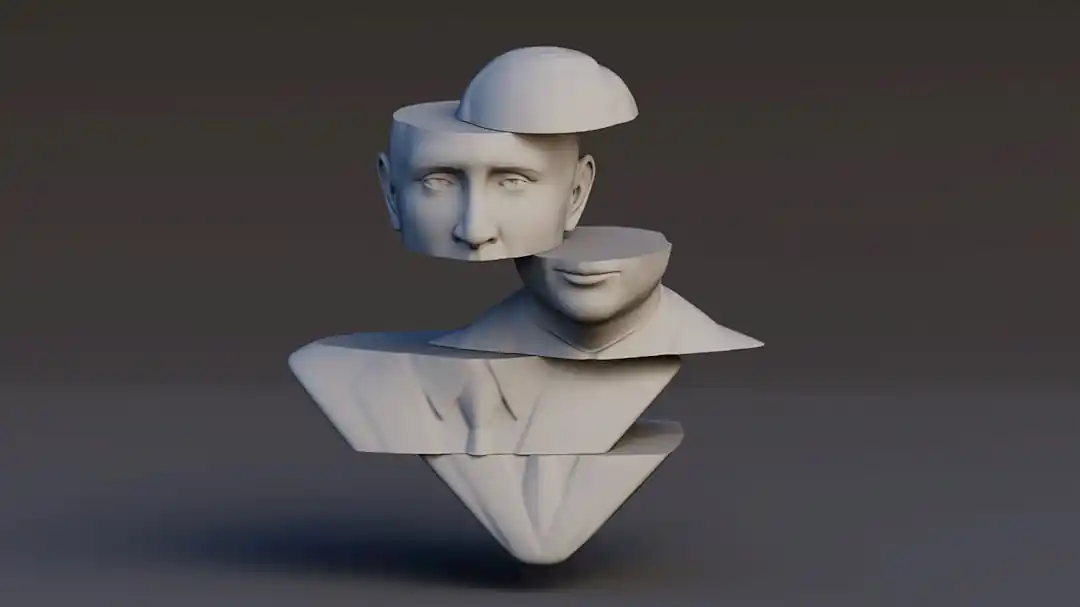
Your First Steps Aren't in the Software
Here's a secret that most guides won't tell you: the software doesn't matter as much as you think. Your success as a beginner has more to do with your mindset and your approach to learning. I've seen people with the most expensive software give up in a week, and I've seen people create masterpieces with nothing but a mouse and a free copy of Blender. The real work happens outside the viewport.
Patience is your most important tool. Your first, second, and probably tenth character will not look like the art you admire. That's okay. Every single artist you look up to was once exactly where you are, struggling to make a lumpy sphere look like a head. The key is to embrace the process. Follow tutorials religiously at first. Don't just watch them; do them. Pause the video, rewind, and do it again until you understand the 'why' behind each action.
Finally, don't forget the fundamentals of art. You can have the best software in the world, but if you don't have a basic understanding of anatomy, form, and silhouette, your characters will always feel a little... off. You don't need to be a master anatomist, but spending some time sketching or studying basic human proportions will pay massive dividends in your 3D work. It's this foundational knowledge that separates good technicians from great artists.
The journey of a 3D artist is a marathon, not a sprint. It's a continuous process of learning and refinement. The most important decision you can make isn't which software to download, but simply to start. Pick a tool, find a beginner's tutorial, and make something. It might just be the start of a lifelong passion.
Beyond the Coast: Why the Australian Outback is the Ultimate Adventure for US Travelers
The Ultimate Hurricane Emergency Kit: Are You Forgetting These Lifesaving Items?
Related Posts
 MOBILE
The Great Console Debate: How to Choose the Right Gaming System for Your Family
Feeling stuck between a Switch, a PlayStation, and an Xbox? Let's break down which gaming console is the perfect fit for your family's game nights.
 MOBILE
From Fragile to Formidable: The Surprising Evolution of Foldable Phone Durability
Remember when the idea of folding a smartphone screen in half felt like a disaster waiting to happen? Let's talk about how far they've come, because the story is pretty incredible.

Popular Posts

Rethinking Non-Profit Promotion: Creative Strategies That Actually Drive Event Impact

Beyond Stark White: The Best Interior Paint Colors to Light Up Your New Space

How to Actually Master a New Language on Your Own (No Magic Gene Required)
