Our phones know everything about us. But are we doing enough to protect that information? Let's talk about real, practical steps to secure your digital life.
Have you ever had that weirdly specific, slightly creepy moment? You’re having a conversation with a friend about, say, wanting to learn how to bake sourdough bread, and not an hour later, your social media feed is an endless scroll of artisan bread-making kits and organic flour ads. It’s enough to make you want to wrap your phone in tinfoil. While the "is my phone actively listening to me?" debate is a complicated one (the answer is probably not in the way you think), it highlights a much bigger, more important truth: our phones know an incredible amount about us.
They’re not just phones anymore, are they? They are our wallets, our photo albums, our navigators, our direct line to the world. I honestly can't imagine getting through a single day without mine. But this deep integration into our lives comes with a hidden price tag—our personal data. Protecting it has become one of the most critical, yet often overlooked, tasks of modern life. It’s not about being paranoid; it’s about being practical and taking back control of your own digital narrative.
The good news is that you don’t need a degree in cybersecurity to make a huge difference. It’s about building a few smart habits and understanding the tools you already have at your fingertips. Let's walk through some of the most effective ways to build a digital fortress around your mobile life.
Your Lock Screen is More Than Just a Wallpaper
Let's start with the absolute basics: your lock screen. It’s your digital front door, and leaving it unlocked is like leaving your house wide open. I know, I know, typing in a passcode every single time feels like a hassle. But think about what someone could access if they just picked up your phone: your emails, texts, banking apps, private photos. The thought alone is enough to make me break out in a cold sweat.
Thankfully, we've moved way beyond the simple four-digit PIN. Modern smartphones, whether you're on Team iPhone or Team Android, offer incredibly secure and convenient biometric options like Face ID and fingerprint sensors. A recent study I came across mentioned that a significant number of data breaches on mobile devices stem from weak or nonexistent passcodes. Using your face or fingerprint isn't just about the cool factor; it's a massive leap in security. It’s unique to you and much harder to crack than "1234" or your birthday.
So, my first piece of heartfelt advice is this: if you haven't already, set up biometrics. And for the underlying passcode (which you'll still need sometimes), make it a strong one. Use a six-digit PIN at a minimum, or even better, an alphanumeric password (a mix of letters and numbers). It’s a small, one-time setup that provides a powerful, continuous layer of protection for everything you hold dear.
The Treacherous World of App Permissions
This is a big one. Every time you install a new app, it asks for permission to access parts of your phone—your contacts, your location, your microphone, your photos. In our rush to get to the app's features, most of us just tap "Allow" without a second thought. I was guilty of this for years. But here’s the thing: not all apps have your best interests at heart. A weather app probably needs your location to give you an accurate forecast, but does that new photo filter app really need access to your entire contact list?
This is where data gets harvested and, in some cases, sold to third-party advertisers or data brokers. Those creepy, hyper-targeted ads? This is often how they're born. Malicious apps can even use these permissions to do much worse, like record your conversations or track your movements. It’s essential to become a conscious gatekeeper of your own data.
Both iOS and Android have made this much easier in recent years. Dive into your phone's settings and find the "Privacy" or "Permissions" menu. You can go through app by app and see exactly what you've given them access to. Be ruthless. If an app's request doesn't make sense for its function, revoke that permission. For location services, always choose "Allow While Using App" instead of "Always." There's almost no reason an app needs to track your location when you're not actively using it. Making this a regular quarterly check-up is one of the most empowering things you can do for your digital privacy.
Navigating the Murky Waters of Public Wi-Fi
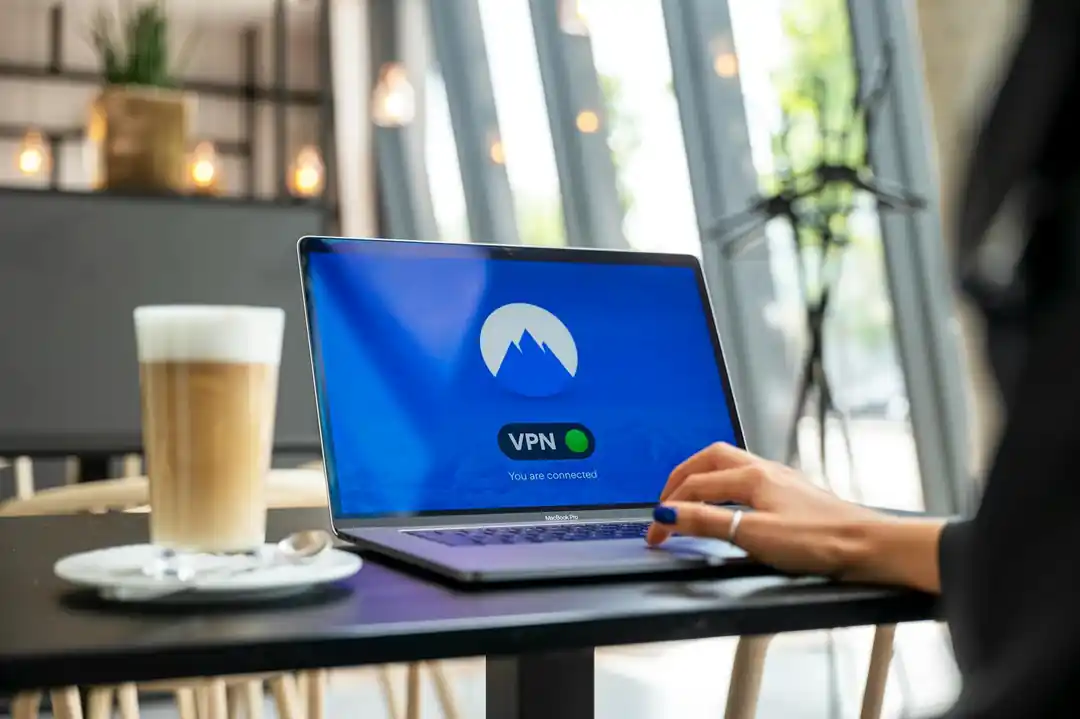
Who doesn't love free public Wi-Fi? It’s a lifesaver at cafes, airports, and hotels. But connecting to an unsecured network is like shouting your private information in a crowded room. These networks are notoriously easy for hackers to monitor, allowing them to potentially intercept your passwords, bank details, and any other unencrypted data you're sending and receiving. It's called a "man-in-the-middle" attack, and it's more common than you think.
This doesn't mean you have to live a life offline or tethered to your cellular data plan. The solution is surprisingly simple: use a Virtual Private Network, or VPN. A VPN creates a secure, encrypted tunnel for your internet traffic, making it unreadable to anyone who might be snooping on the network. It’s like sending your data through a private, armored car instead of an open postcard.
There are tons of reputable VPN providers out there, with easy-to-use apps for both iPhone and Android. Many of them are very affordable (often just a few dollars a month). Turning on your VPN before you connect to any public Wi-Fi should become as automatic as putting on a seatbelt. It’s a small step that provides a massive shield for your online activities when you're most vulnerable.
Keep It Clean, Keep It Updated
Finally, let's talk about digital hygiene. Two of the simplest yet most effective things you can do are to keep your software updated and to delete apps you no longer use. Those software update notifications that we all love to ignore? They're not just about adding new emojis. They almost always contain critical security patches that fix vulnerabilities discovered by the developers. Running an outdated operating system is like knowingly leaving a window unlocked for burglars. Install updates as soon as they’re available.
And take a look at your phone's home screen. How many of those apps have you not opened in the last six months? A year? Each one of those apps is a potential security risk, a dormant gateway to your data. If you're not using it, lose it. Deleting old apps declutters your digital life and, more importantly, reduces the number of potential entry points for trouble.
Protecting your personal data isn't a one-and-done task. It's an ongoing practice, a series of small, conscious choices that add up to a much safer digital existence. It’s about being mindful of what you share and with whom. Start with one of these tips today, and you’ll be well on your way to a more secure and private mobile experience. You deserve that peace of mind.

From Words to Worlds: A Beginner's Guide to Generating Realistic Images with ChatGPT
Beyond the Selfie: Finding Your Digital Twin with Android's Best Avatar Apps

Related Posts
 MOBILE
The Great Console Debate: How to Choose the Right Gaming System for Your Family
Feeling stuck between a Switch, a PlayStation, and an Xbox? Let's break down which gaming console is the perfect fit for your family's game nights.
 MOBILE
From Fragile to Formidable: The Surprising Evolution of Foldable Phone Durability
Remember when the idea of folding a smartphone screen in half felt like a disaster waiting to happen? Let's talk about how far they've come, because the story is pretty incredible.

Popular Posts

Rethinking Non-Profit Promotion: Creative Strategies That Actually Drive Event Impact

Beyond Stark White: The Best Interior Paint Colors to Light Up Your New Space

How to Actually Master a New Language on Your Own (No Magic Gene Required)
